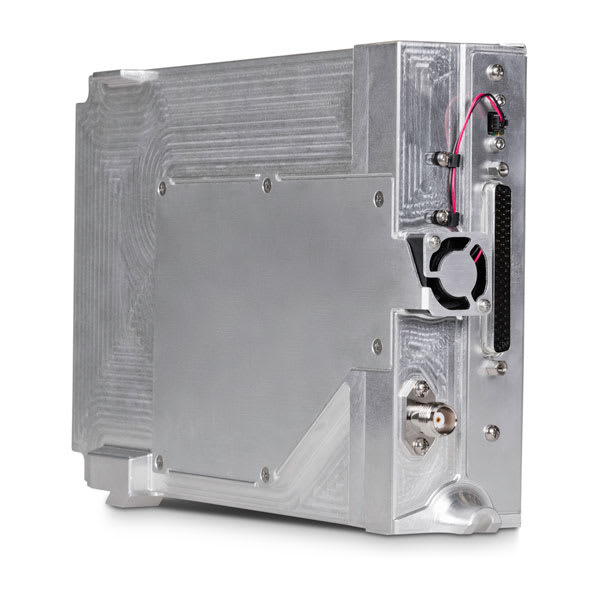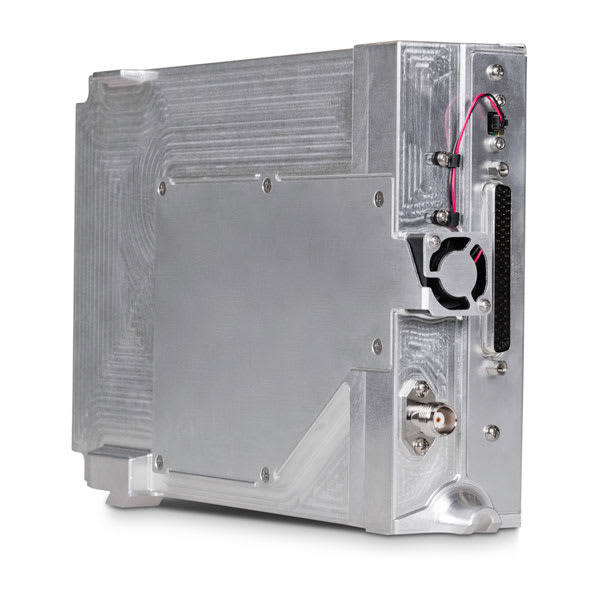
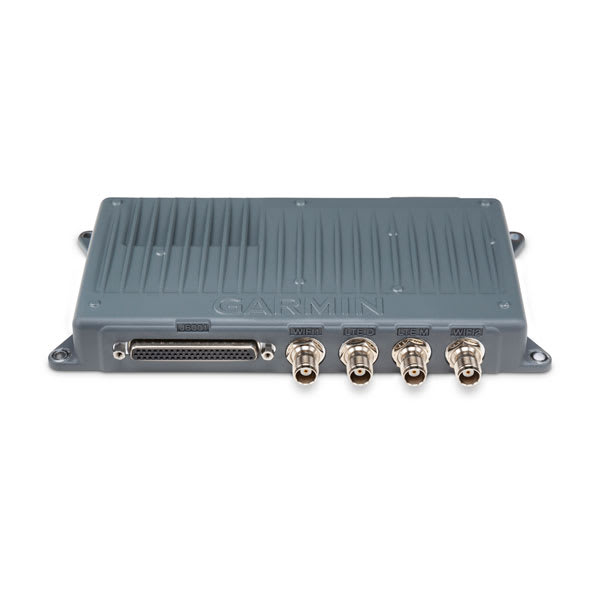
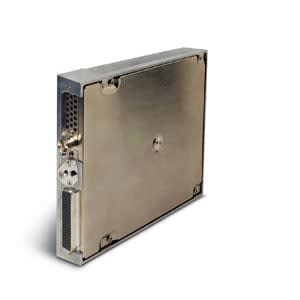
GDL 60 Datalink with PlaneSync Technology
Overview
Specs
PlaneSync Subscription Plans
Compatible Devices
Overview THE FLYING LIFE, SIMPLIFIED
Streamline your flight prep and enjoy your aircraft more with the GDL 60 datalink and PlaneSync technology. It’s the “connected aircraft” solution that automatically updates your avionics databases1, logs flight/engine data and lets you remotely check fuel and systems status via your Garmin Pilot smart-device app2.
GDL 60 is the datalink that enables our PlaneSync technology to remotely connect with your avionics.
Automatic downloads via 4G LTE cellular or Wi-Fi connectivity keep your avionics updated with the latest databases1.
Got fuel for your trip? Check the Garmin Pilot app on your smart device for a real-time aircraft status2 update5.
Get a head start by preloading your flight plan into your mobile device, then upload the data to your compatible navigator at the airport.
In flight, you can use Connext satellite services to interface portable devices and apps with your avionics.
At journey’s end, your flight logs, EIS data and other info are securely uploaded1 into cloud storage and can be optionally sent to integrated services for additional analysis.
Make the connection to maintain flight readiness.AUTOMATIC DATABASE UPDATES Forget time-consuming manual updates via data card. Your GDL 60 offers database downloads directly to the aircraft1. You don’t need to be present for the process. Most databases will auto-synchronize across your avionics at power up.
FLIGHT/ENGINE DATA LOGGING AND ANALYSISWith compatible avionics, your aircraft’s GDL 60 datalink can transmit flight and engine log data automatically1 to secure cloud storage or analysis services after landing. Connected services such as FlySto and Savvy Aviation can convert your flight data to actionable insights and easy-to-read dashboards so you can gain a deeper understanding of your flight and engine performance.
REMOTE AIRCRAFT STATUS With GDL 60 and the Garmin Pilot app, it’s easy to keep tabs on your aircraft from virtually anywhere2. When appropriately equipped, an aircraft dashboard page lets you check active/standby database status, as well as Hobbs, tachometer and flight times, fuel quantity, battery voltage, OAT, oil temperature and aircraft GPS location4.
MOBILE DEVICE CONNECTIVITY By adding the GDL 60 datalink to your system, you can use Connext to stream weather, traffic, AHRS, flight plans and other data from your avionics to flight apps such as Garmin Pilot, ForeFlight and FltPlan Go.
ENTERTAINMENT INTERFACE When installed with a GDL 69A SXM satellite receiver6, GDL 60 streaming capabilities can support remote tuning of SiriusXM audio entertainment channels via the Garmin Pilot app on compatible mobile devices.
GSR 56 INTERFACEGDL 60 can also act as an interface to a GSR 56 or GSR 56C satellite transceiver with Connext satellite services5. With a compatible app, you can utilize in-flight text messaging or initiate voice calls to help you stay connected from virtually anywhere.
Get more from your aircraft flight logsLearn how to share your aircraft flight logs on the flyGarmin.com website.LEARN MORE
Gain more insights from your flight logs with analysis services.LEARN MORE
1Active PlaneSync and database subscriptions required for automatic database updates. Active PlaneSync subscription plan required for flight log uploading. Features are available on-ground only and require GDL 60 to have active LTE or Wi-Fi connectivity; signal strength and other factors may apply. See Garmin.com/planesynccoverage for LTE coverage details.2Remote aircraft status requires active PlaneSync subscription. User’s smart device must have internet connectivity. Feature is available on-ground only and requires GDL 60 to have LTE connectivity; signal strength and other factors may apply. See Garmin.com/planesynccoverage for coverage details.3This information is intended as supplemental information only and is not a substitute for preflight checks4GPS location provided by avionics. Select avionics can provide live location with a compatible GPS antenna; otherwise, location displayed will be based on the avionics’ last known location. GPS signal strength and other factors may apply.5Sold separately; subscription required. Some jurisdictions regulate or prohibit the use of satellite communication devices. It is the responsibility of the user to know and follow all applicable laws in the jurisdictions where the device is intended to be used.6Compatible avionics requiredWi-Fi is a registered trademark of the Wi-Fi Alliance. Sirius, XM and all related marks and logos are trademarks of Sirius XM Radio Inc.Engineering enhancements are ongoing and may not be reflected in the pictures, videos and specifications.Specs GDL 60 DatalinkPhysical characteristics
Width
8.72″Height1.12″Depth4.00″Weight1.5 lbsGeneral SpecificationsInput voltage14/28VdcOperating temperature range-40C to +70CMaximum altitude55,000 ftMemory64 GB eMMCComplianceEnvironmental complianceRTCA DO-160FSoftware complianceRTCA DO-178B Level D (GDL 60 unit), Level E (cellular firmware)TSO complianceTSO-C109Cellular Specifications4G LTE (CAT 4) with 3G FallbackGlobal OperationBands: LTE B1,2,3,4,5,7,8,12,18,19,20,25,26,28,38,39,40,41Transmit power+25 dBm max3FF SIM Card (micro SIM)Wi-Fi SpecificationsPhysical radios2 (one internal access point, one external client)Class802.11 b/g/nFrequency band2.4 GHzTransmit power+17 dBm / 50 mW maxBLUETOOTH SpecificationsBLUETOOTH standard4.2Frequency band2.4 GHzPower class2 +4 dBm / 2.5 mW maxGA 60 LTE AntennaPhysical characteristics
Width
6.39″Height1.08″Depth2.95″Weight0.5 lbGeneral SpecificationsNominal impedance50 OhmsVSWROperating temperature range-40C to +70CMaximum altitude55,000 ftIntended for installation internal to an aircraftCellular Antenna SpecificationsSupported radioCellular 4G LTE/3GTypeTwo element MIMOBandwidth700 MHz to 2700 MHzGA 61A LTE/Wi-Fi Combo AntennaPhysical characteristics
Width
7.34″Height3.20″Depth2.34″Weight0.8 lbsGeneral SpecificationsNominal impendence50 OhmsVSWROperating temperature range-55C to +70CMaximum altitude55,000 ftIntended for installation external to an aircraftCellular Antenna SpecificationsSupported radioCellular 4G LTE/3GTypeTwo element MIMOBandwidth700 MHz to 2700 MHzWi-Fi Antenna SpecificationsSupported radio2.4 GHz Wi-FiTypeSingle element monopole, omni-directionalBandwidth2400 to 2500 MHzWi-Fi AntennaPhysical characteristics
Width
0.31″Height1.08″Depth0.69″Weight0.075 lbsGeneral SpecificationsNominal impedance50 OhmsVSWROperating temperature range-40C to +70CMaximum altitude55,000 ftIntended for installation internal to an aircraftWi-Fi Antenna SpecificationsSupported radio2.4 GHz Wi-FiTypeTwo element monopole, omni-directionalBandwidth2400 to 2500 MHzPlaneSync Subscription Plans CHOOSE A PLANESYNC SUBSCRIPTION PLAN
PlaneSync service is available via three simple subscription plan options. Subscriptions can be activated via the flyGarmin.com website, and service is billed monthly. LTE coverage is available in most countries worldwide. Subscription pricing may vary by aircraft type.
LTE NORTH AMERICALTE WORLDWIDEWI-FI (WORLDWIDE)Starting at Price:$30 per month$45 per month$10 per monthAutomatic Database Updataes via LTE1yesyesnoAutomatic Database Updates via Wi-Fi1yesyesyesRemote Aircraft Status2yesyesnoAutomatic Flight Log Upload1yesyesyes1Active PlaneSync and database subscriptions required for automatic database updates. Active PlaneSync subscription plan required for flight log uploading. Features are available on-ground only and require GDL 60 to have active LTE or Wi-Fi connectivity; signal strength and other factors may apply. See Garmin.com/PlaneSyncCoverage for coverage details.
Remote aircraft status requires active PlaneSync subscription. User’s smart device must have internet connectivity. Feature is available on-ground only and requires GDL 60 to have LTE connectivity; signal strength and other factors may apply. See Garmin.com/PlaneSyncCoverage for coverage details.
Compatible Devices GDL 60 Datalink with PlaneSync Technology
Related products
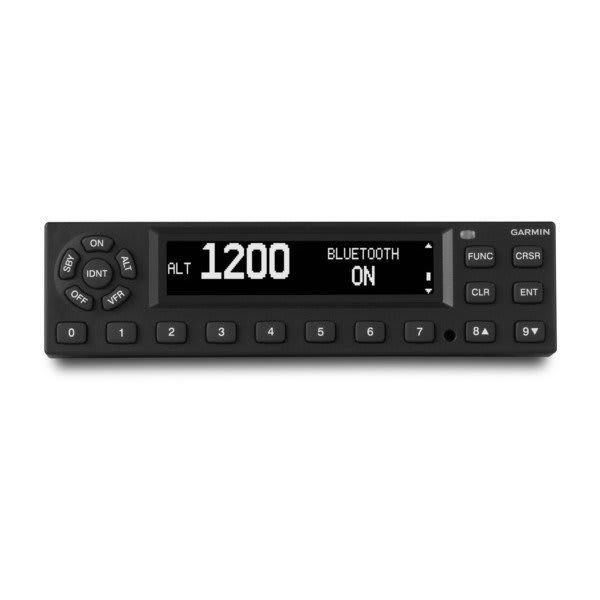
Datalinks & Connectivity
Datalinks & Connectivity
Datalinks & Connectivity
Datalinks & Connectivity
Datalinks & Connectivity
Datalinks & Connectivity